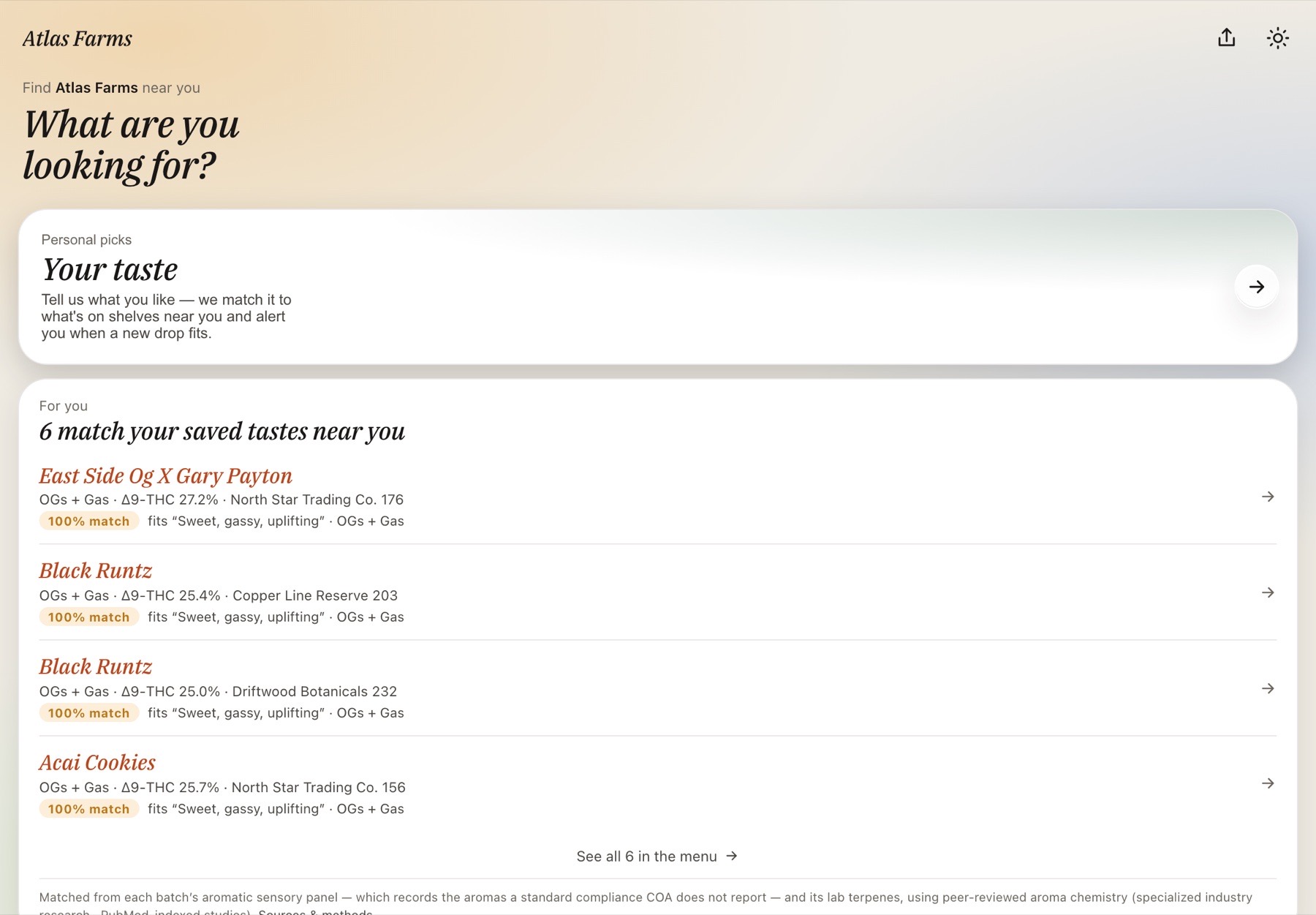
Your brand, in your customer’s pocket.
Retail customers don’t buy from you — they buy from dispensaries. The customer app keeps them buying you: every batch with its photo and chemistry, the dispensaries it shipped to in the last 45 days, a taste they can save in their own words, and an alert when a drop that fits it heads to a store.
Every batch, with its face and its fingerprint.
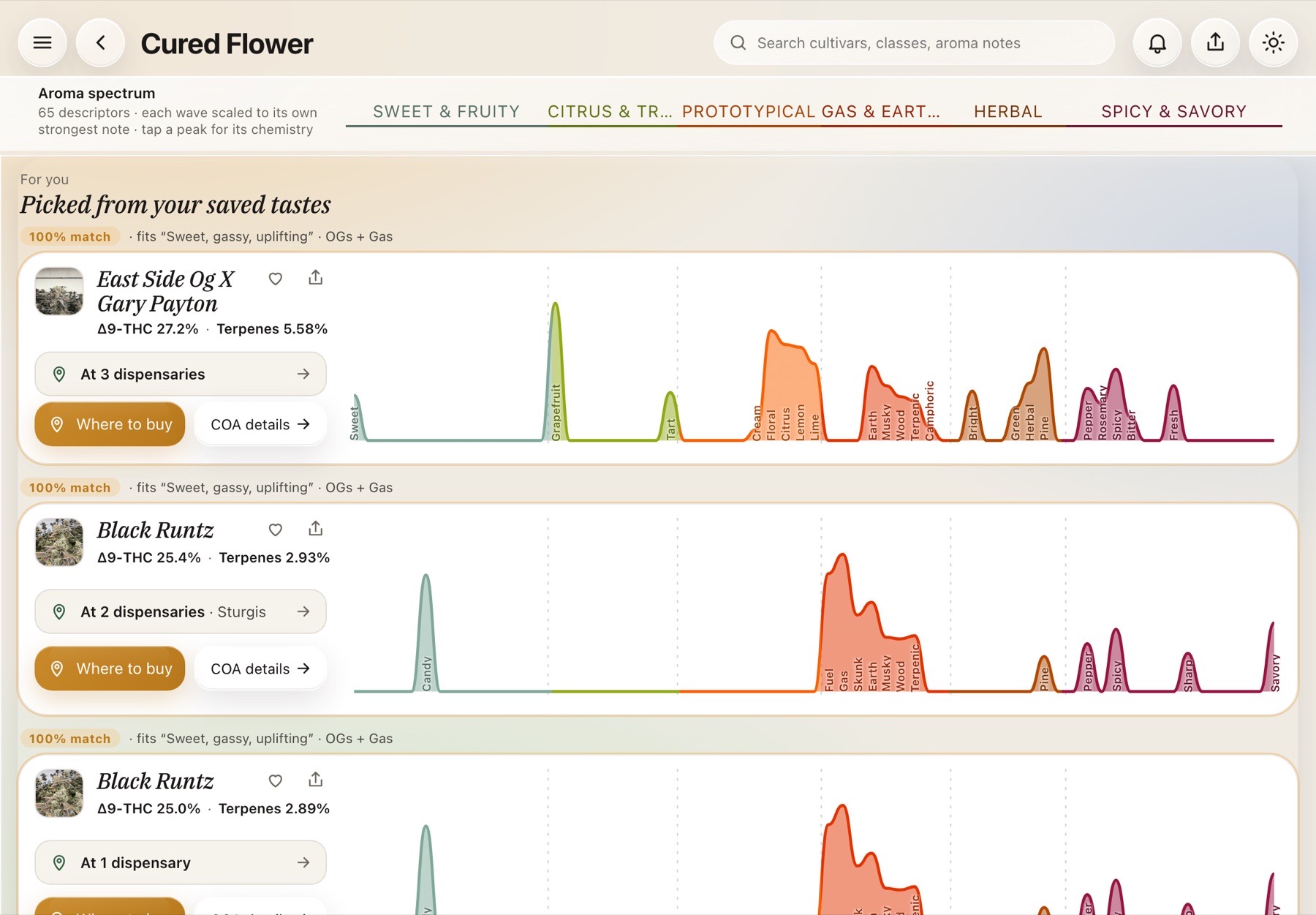
The same glass menu your wholesale buyers use — tuned for the person who smokes it. Each strain carries its flower photo, its tested Δ9-THC and terpenes, its top aroma notes, and a certificate that opens as charts: the aroma radar, the terpene donut, cannabinoids, safety. Favorites and sharing built in; where to buy one tap away. No prices, no cart — this is where a customer decides your flower is the one they go looking for.
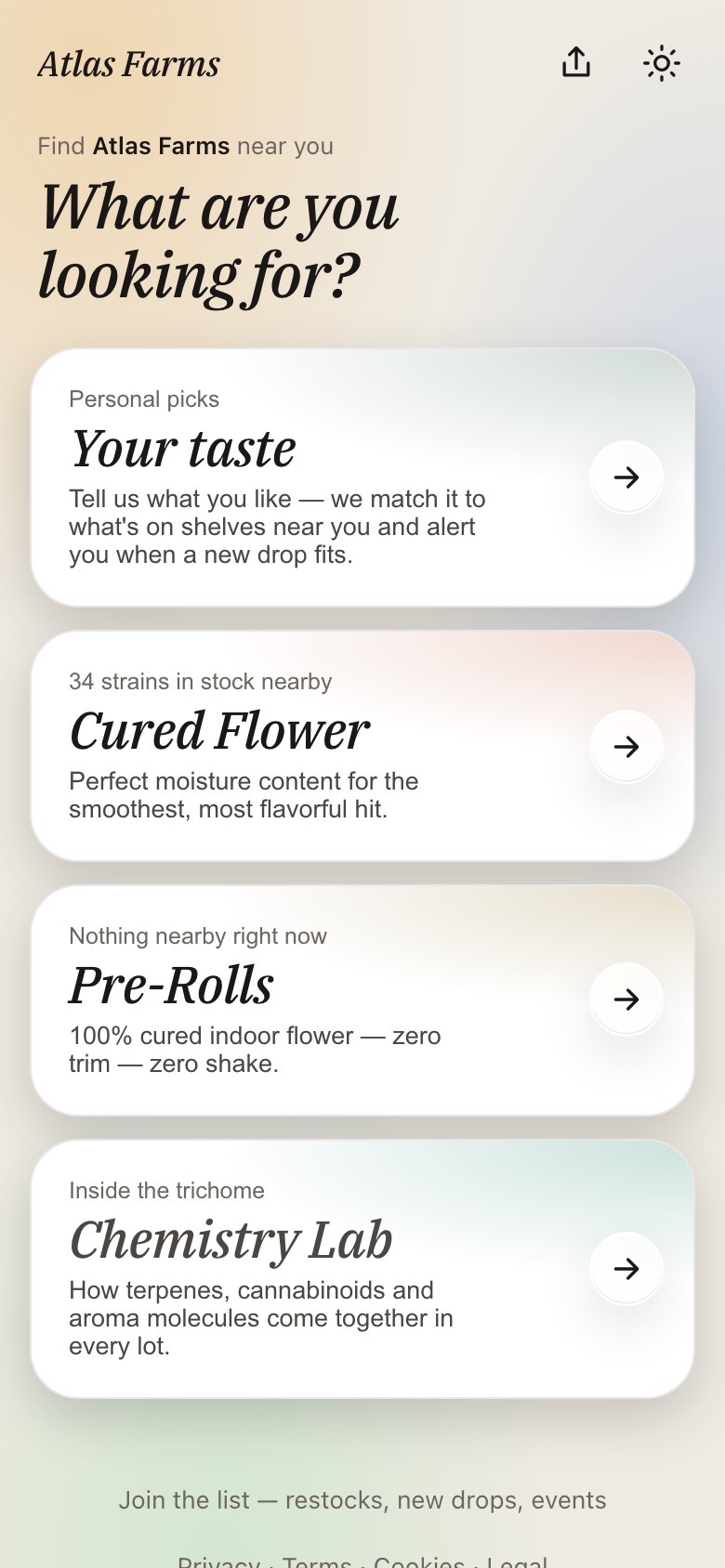
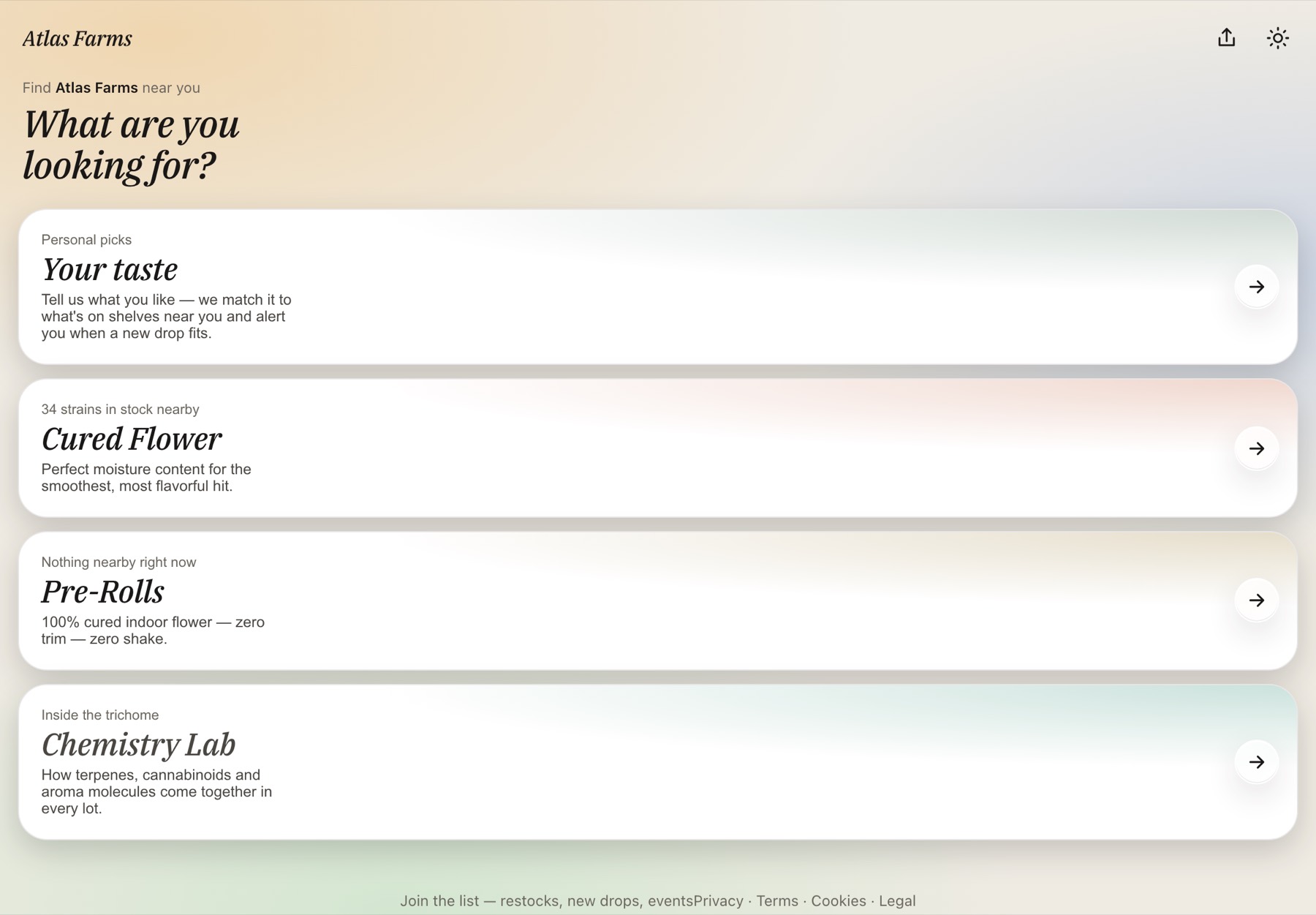
Home — what’s on dispensary shelves, and a taste they can save
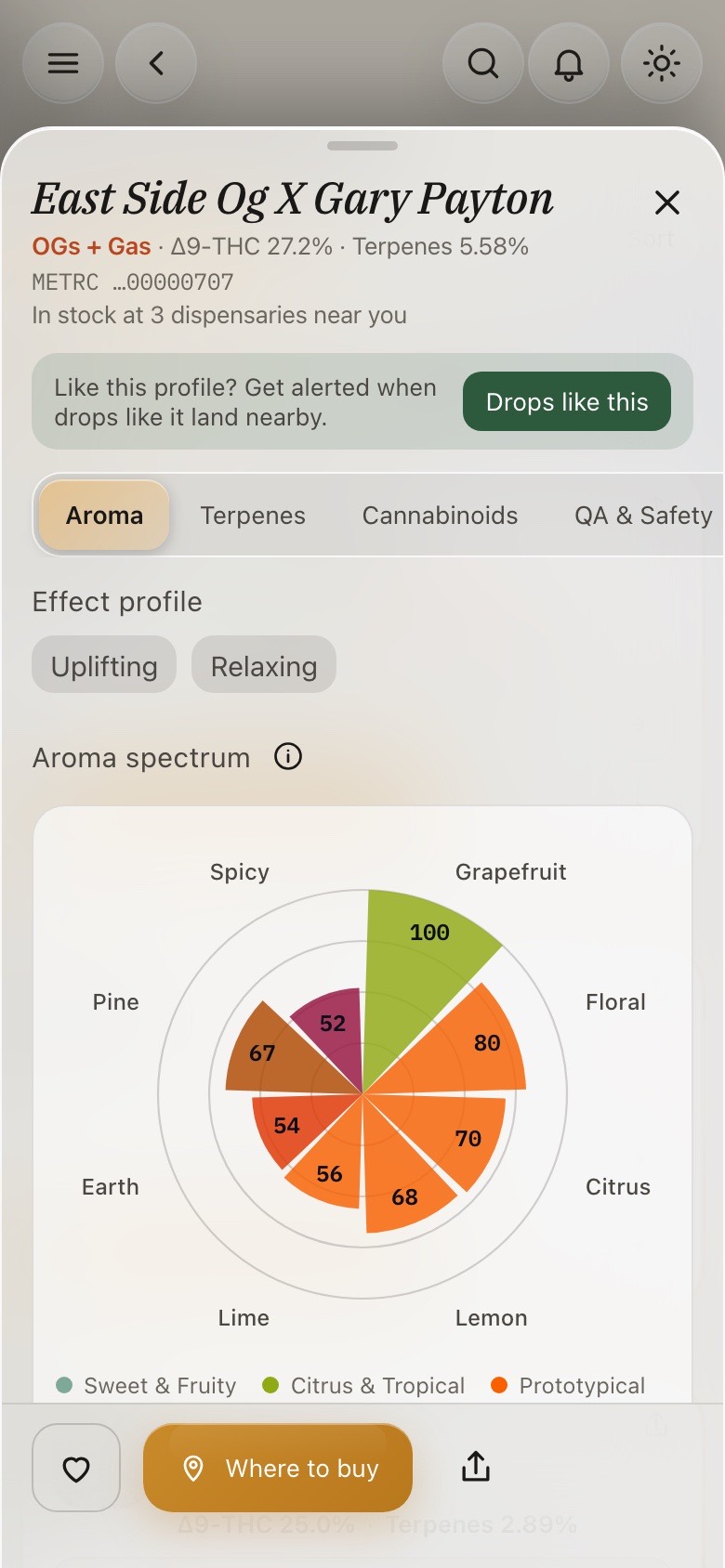
COA details — the certificate as charts a customer can read
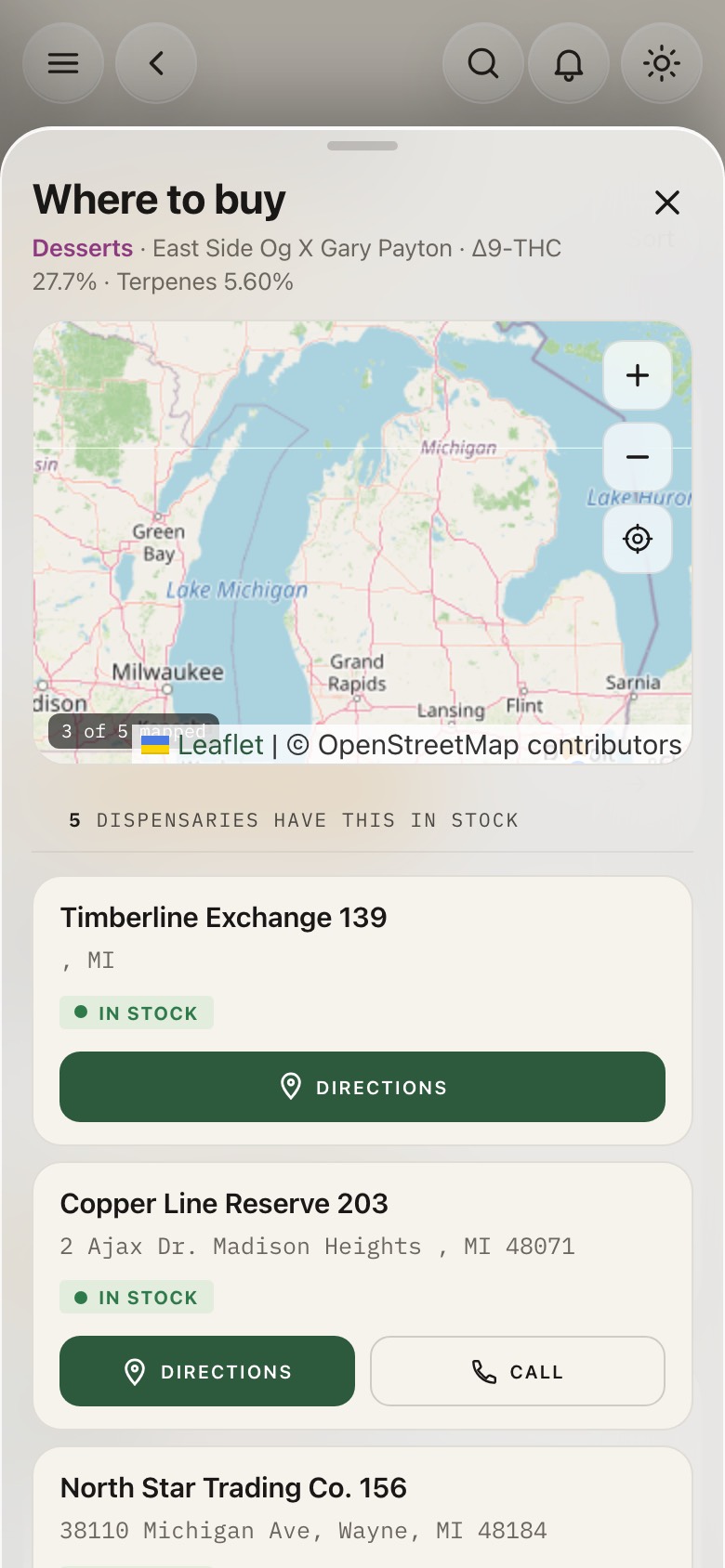
Where to buy — answered from the manifests, mapped
“Who has it?” Answered from the manifests.
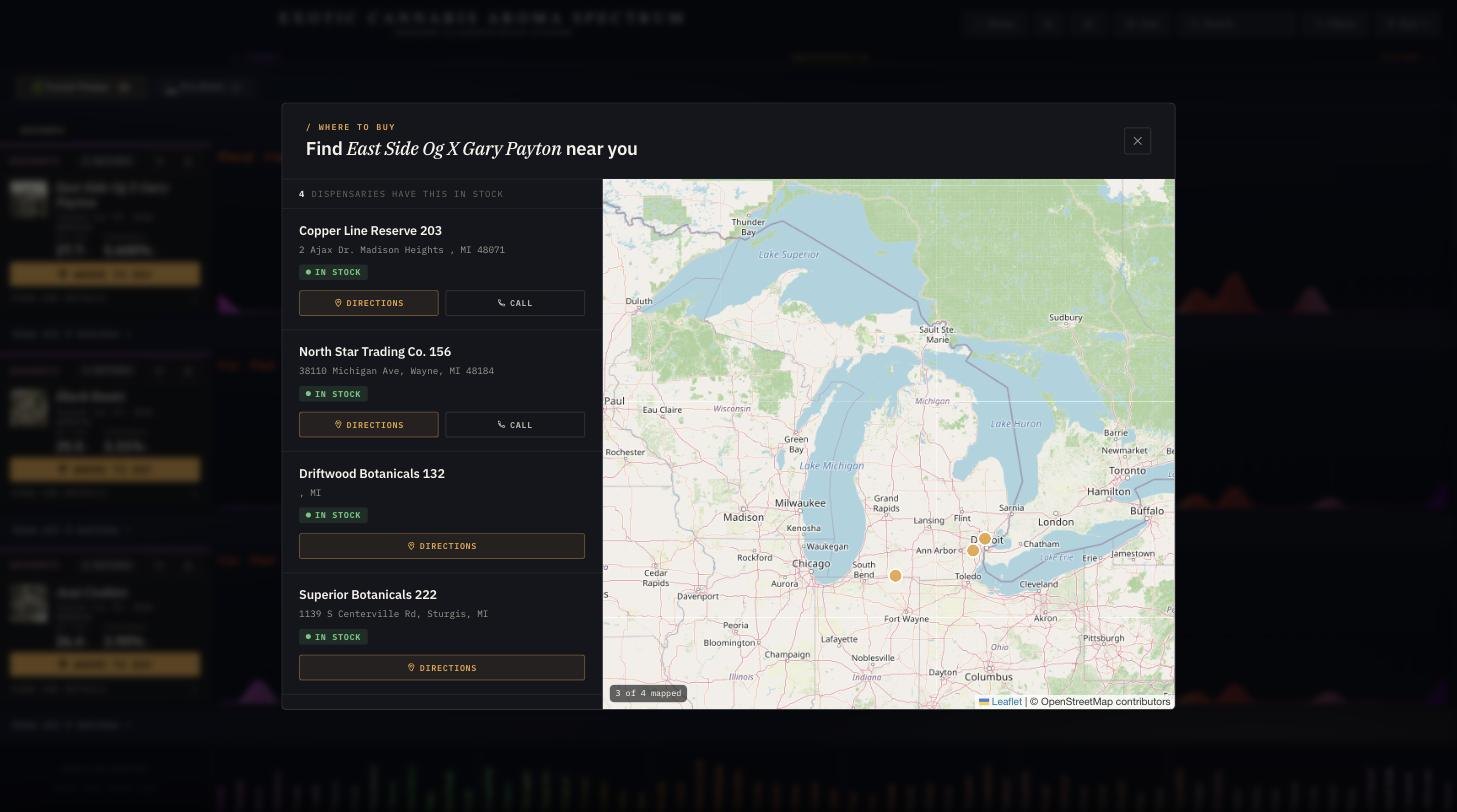
One tap on any cultivar and the app names the dispensaries it was transferred to in the last 45 days — mapped, with directions and a call button. This isn’t a store directory: the list is read, through StashStock, from the same Metrc transfer records that run your compliance, and a store drops off early when its staff mark the batch out of stock on the kiosk.
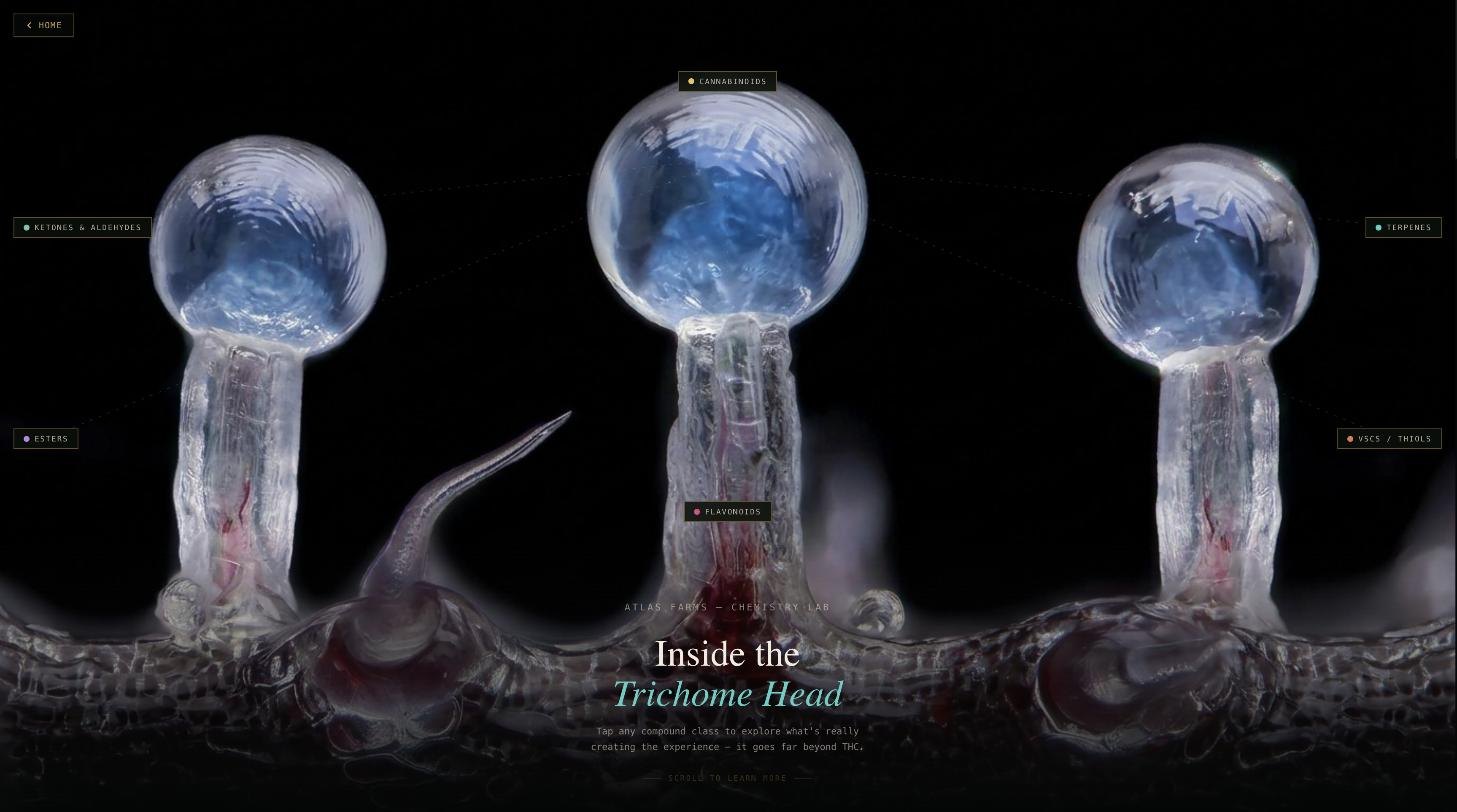
Inside the trichome head — for the curious, not the chemists.
Tap any compound class on a real trichome macro and the lab explains what’s actually creating the experience — terpenes, esters, flavonoids, VSCs — far beyond THC. It’s the same education your salespeople give a buyer, running self-serve in a customer’s hand, under your brand.
The dispensary sells the jar. You keep the relationship.
Tell Cannvas what you like. It finds the match — and watches for the next one.
A customer types “sweet and fruity, relaxing but not sleepy, strong” — or picks it from chips: class, aroma zone, effect, potency. An AI model only translates the words into taste categories; the matches themselves are computed from each batch’s lab terpenes and its aromatic sensory panel, every reason citing the batch’s own data. Save the taste and the app alerts them — an email, or a push with the strain, its match score and “Tap for where to buy” — when a drop that fits heads to a dispensary. Restocks of favorites work the same way.
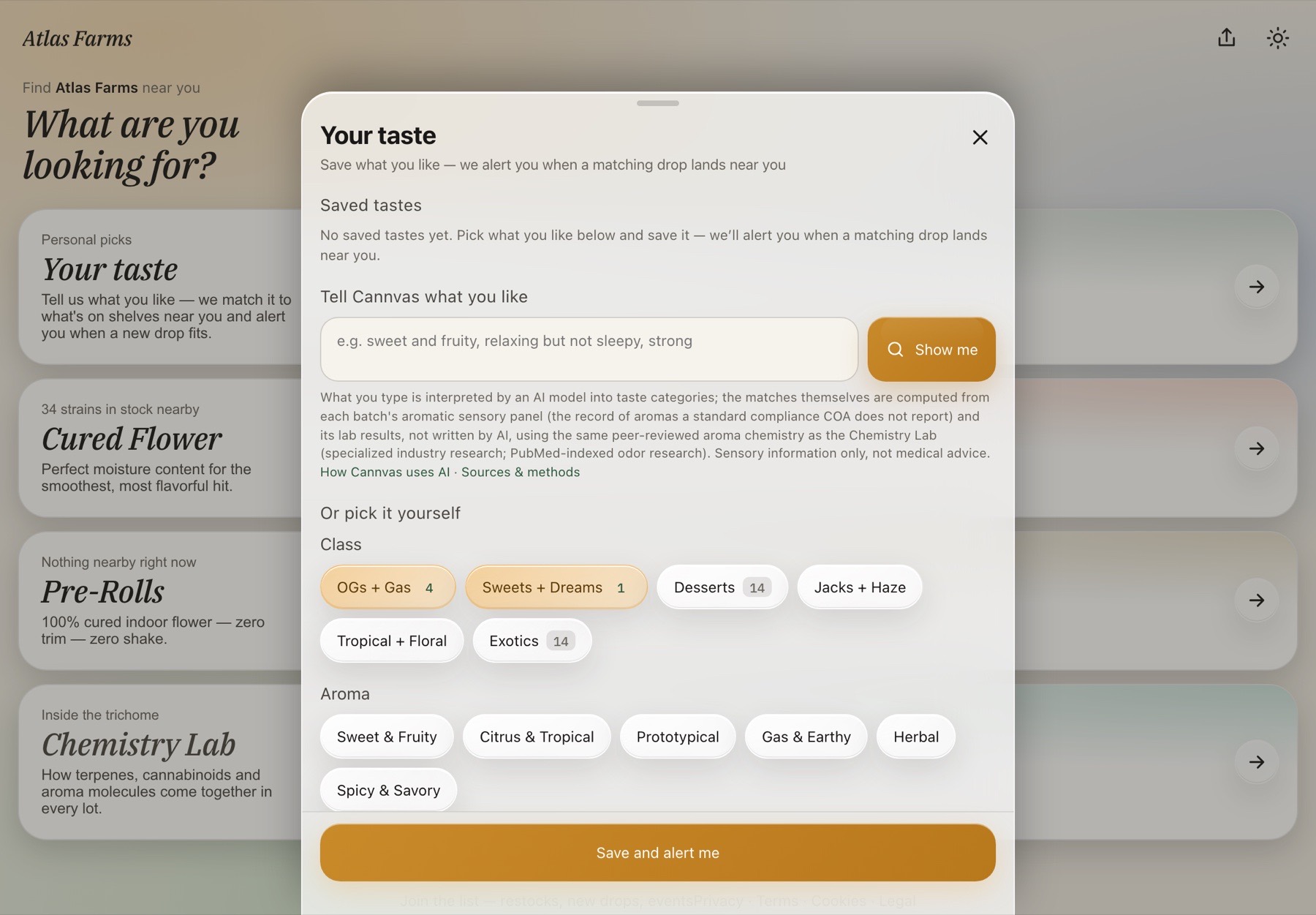
Sensory information, never medical advice. The point-of-use notice says exactly what the AI did and did not do, the sources and methods are one tap away, and every customer can edit or delete a saved taste and turn alerts off on their device.
The menu opens on what fits them.
Saved tastes and favorites rewrite the home screen: a For-you block names every strain on a dispensary shelf that matches, each marked Verified with the reason — “fits ‘Sweet & gassy’ · OGs + Gas” — and the menu leads with those cards. Tastes can be added, edited and deleted; favorites sit right underneath.
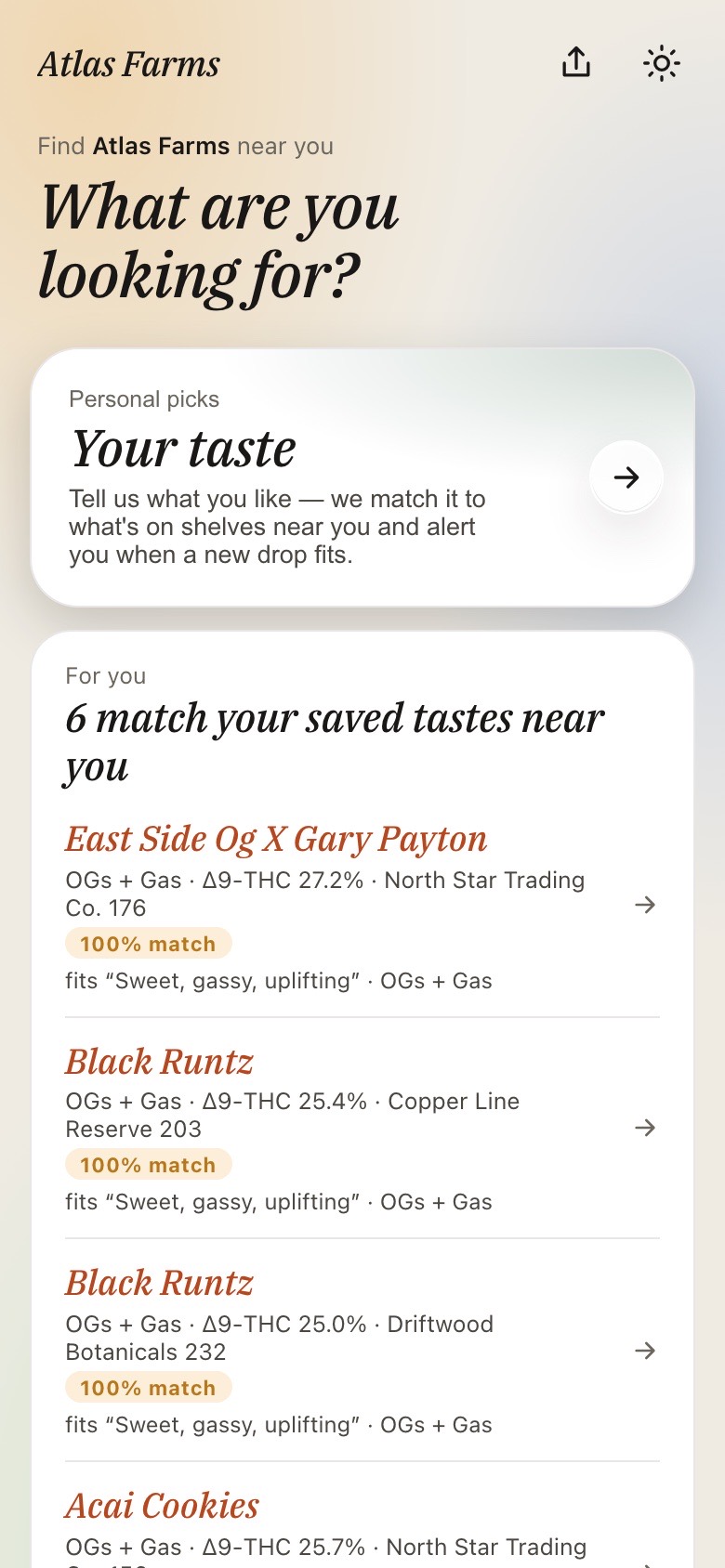
Home — every match on a dispensary shelf, with the reason
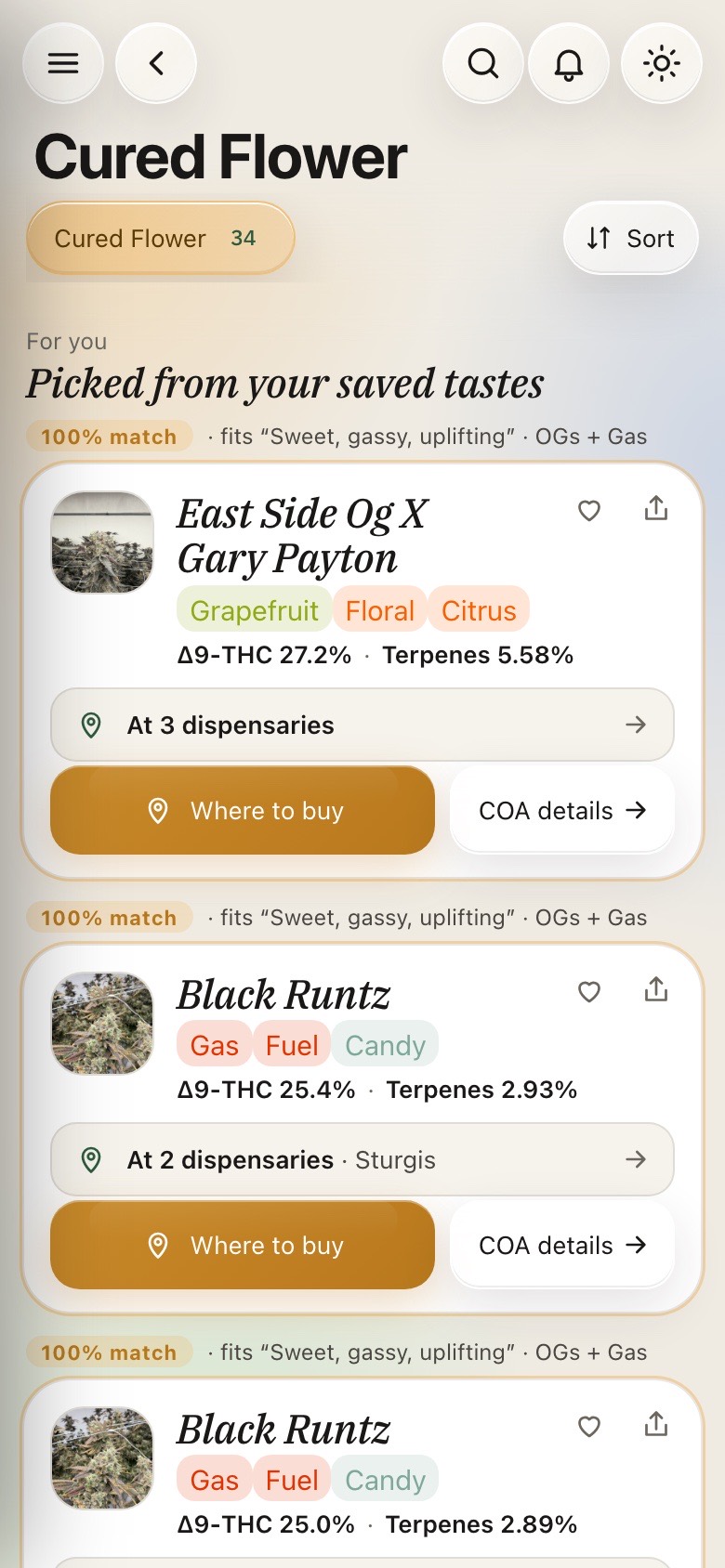
Menu — the picks lead, the rest of the shelf follows
On the counter, where the decision happens.
The same engine runs as a kiosk on the dispensary’s counter, scoped to that store — your menu, your photos, your chemistry, and the same “What are you looking for?” taste matcher, in front of the customer while the budtender reaches for the jar. It works for you both ways: when the store sells out of something, one tap pulls it from the kiosk menu and sends your team a reorder alert. The shelf tells you it’s empty before the rep ever calls.
Your name on the door. Your brand on their screen.
The consumer experience wears your brand — your name, your logo, your accent color, on the app, the kiosk, the chemistry lab, the age gate, the Home-Screen icon, and every notification. Customers install it to their Home Screen with your app icon and your name under it, at a cannvas.app address or on your own domain set up with Cannvas. Below: the app wearing Atlas Farms.
Every jar is an invitation back to you.
30-minute demo · or the full system on your data, free for 30 days.